🐾 Part of our complete guide: How to Become a Pet Influencer.
You can have the best reel idea in the world, but if the shot is dark, blurry, or filmed from standing height, it flops. The good news: you don't need a fancy camera. Almost all scroll-stopping pet content is filmed on a phone — the difference is a few simple habits. Here are the ones that matter most.
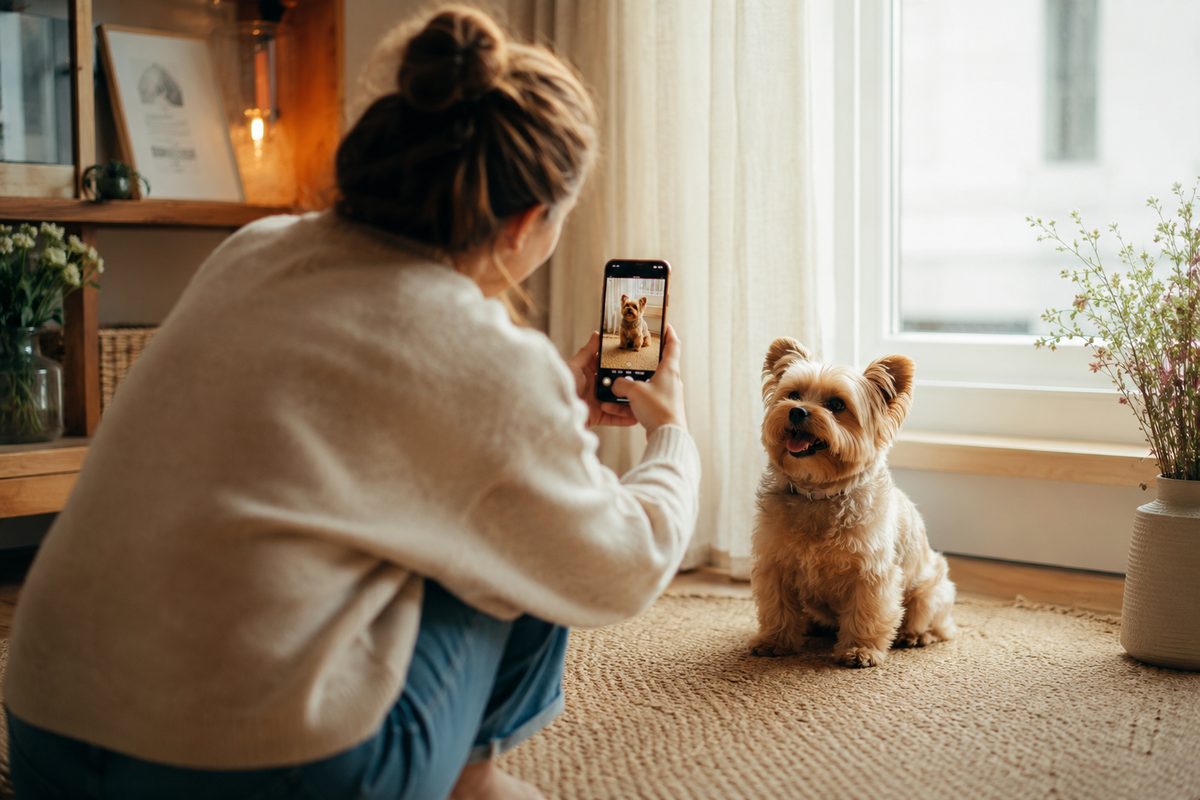
1. Light: your single biggest lever
Shoot near a window
Do this: position your pet facing a large window with the light hitting their face, and put yourself between the window and the pet. Soft, indirect daylight is the most flattering free light there is.
Chase golden hour outdoors
Do this: the hour after sunrise and before sunset gives warm, low, gentle light. Harsh midday sun creates squinty eyes and hard shadows — avoid it or find open shade.
Kill the overhead light
Avoid: ceiling lights and backlighting (a bright window behind your pet turns them into a silhouette). If the background is brighter than your pet, move.
2. Get on their level
The most common beginner mistake is filming down at a pet from human height. Drop to their eye level — sit, kneel, or lie on the floor. Eye-level shots feel intimate and personal, put the viewer in the moment, and instantly read as "creator," not "phone snapshot." For a tiny dog or a cat, that means getting all the way down.
3. Nail focus and keep it sharp
Tap to focus on the eyes
Do this: tap your pet's face on the screen before you shoot so the phone locks focus there. Sharp eyes are what make a pet photo feel alive.
Wipe the lens
Do this: phone lenses live in pockets and collect smudges. A quick wipe on your shirt is the cheapest sharpness upgrade there is.
Steady the shot
Do this: brace your elbows against your body or rest the phone on a surface. Steady footage alone reads as "professional."
4. Catch the moment
Pets don't take direction, so you stack the odds instead:
- Use burst mode for photos. Hold the shutter and fire a dozen frames of a head tilt or a jump — one will be perfect.
- Get their attention on cue. A squeaky toy, a treat held by the lens, or a funny sound gets ears up and eyes toward the camera. Capture right as they react.
- Film more than you need. The best pet moments are caught, not staged. Roll longer and trim later — the outtakes are often the gold.
- Shoot during their good hours. Film when your pet is naturally alert or playful, not when they're done for the day.
5. Frame and background
Declutter behind them
Do this: a tidy, simple background keeps all eyes on your pet. Clear the laundry pile out of frame before you shoot, not after.
Use the rule of thirds
Do this: turn on your camera's gridlines and place your pet's eyes along the top third line rather than dead-center. It just looks more intentional.
Leave a little breathing room
Do this: a bit of negative space — the direction they're looking or moving — makes a shot feel composed instead of cramped.
6. Phone settings that help
- Turn on gridlines. Camera settings → grid. Instant composition help.
- Lock exposure. Press and hold to set focus/exposure so the frame doesn't flicker bright-to-dark as your pet moves (AE/AF Lock on iPhone).
- Shoot the highest quality. 4K at 60fps if your phone allows — it gives you crisp footage and room to crop for different platforms.
- Keep slow-mo handy. Zoomies, a jump, ears flopping — slowed to 0.5x with a good audio drop is a reliable hit.
- Clean up your storage. A full phone quietly drops to lower quality. Keep space free so you're always shooting at full resolution.
The Petfluencer Playbook turns good clips into a real account — a 90-day content calendar, hook formulas, and the batching workflow to film a week in one afternoon.
7. Quick edits (keep it natural)
A light edit lifts a good shot; a heavy one ruins it. On your phone or in a free editor like CapCut, do just enough: (affiliate — we may earn a commission at no cost to you)
- Nudge brightness and contrast so the eyes pop, without blowing out the whites.
- Warm it slightly. A touch of warmth makes fur and skin look healthy and inviting.
- Crop to the platform — vertical 9:16 for Reels and TikTok, and reframe so your pet sits on a third, not dead-center.
- Add captions for the muted crowd. Most video plays silent — see our captions guide.
- Resist the heavy filter. Oversaturated, over-sharpened pets read as amateur. Aim for "bright and real," not "processed."
Gear worth it later (not day one)
You need none of this to start, but once you're posting regularly, a few cheap tools pay off: a small tripod so you can be in frame and use both hands with treats, a clip-on LED light for dark evenings, and a lav mic if you talk to camera. Skip anything pricier until your content is already earning.
FAQ
Do I need a real camera to grow a pet account?
No. A modern phone is more than enough — nearly all top pet accounts film on one. Lighting, eye-level angles, and steady focus matter far more than the device.
What's the best lighting for pet photos?
Soft, indirect daylight. Face your pet toward a window, or shoot outdoors during golden hour. Avoid harsh overhead light and backlighting, which throw hard shadows or turn your pet into a silhouette.
How do I get my pet to look at the camera?
Hold a treat or a squeaky toy right by the lens, or make a novel sound to prick their ears up, and shoot the instant they react. Use burst mode or keep filming so you catch the perfect frame.
How do I take sharp photos of a moving pet?
Tap to focus on their face, wipe the lens, steady your hands, and use burst mode. Bright light also lets the phone use a faster shutter, which freezes motion and reduces blur.
Next: turn great shots into reel ideas that get views, write captions that earn comments, or learn how the algorithm decides who sees your posts.